Transitions & Effects
By the end of this lesson you will know how to add smooth transitions between clips, text overlays, and slow motion — three effects that make a video stand out.
Add a transition between clips
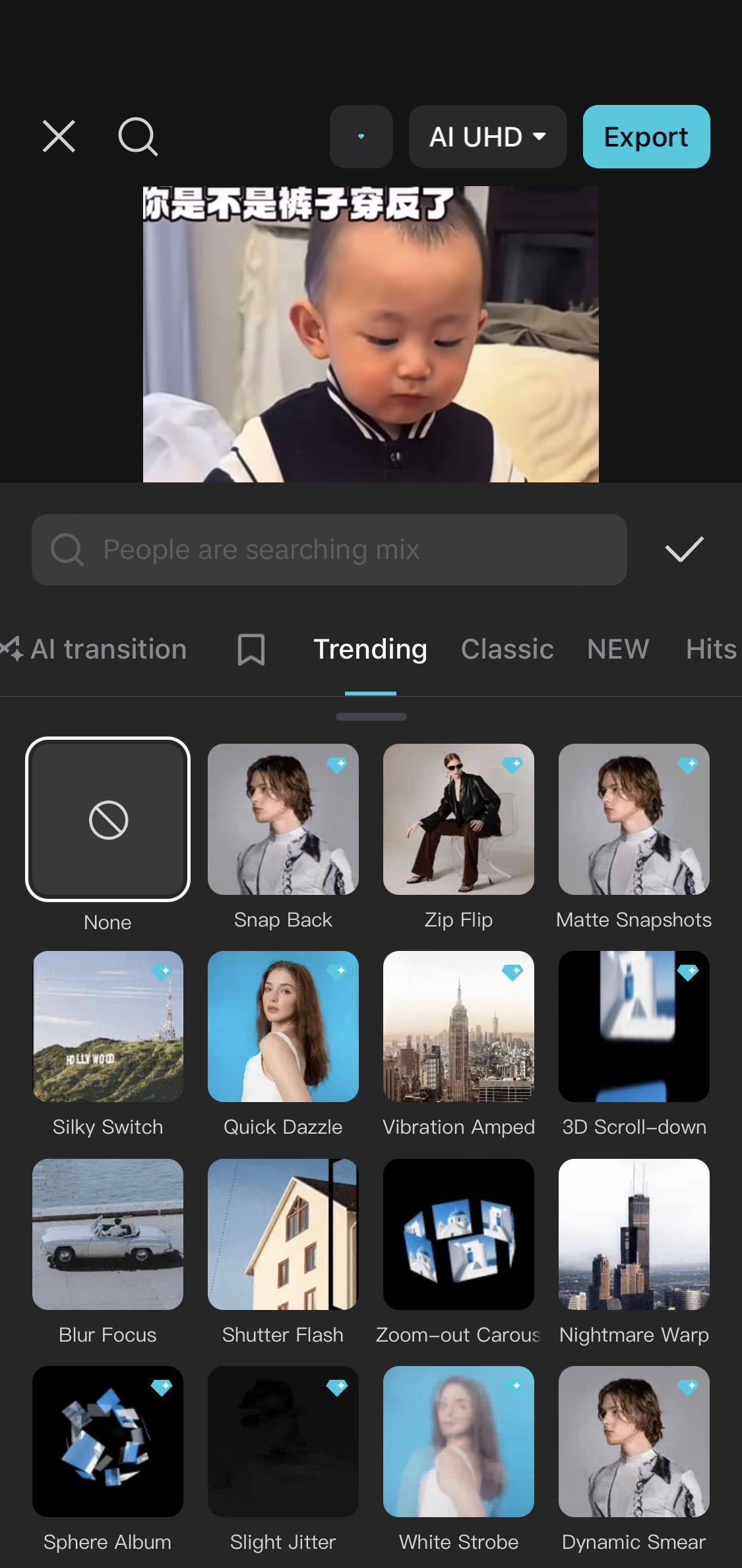
Import two or more video clips into CapCut. You will see a small white square between the clips in your timeline — that is where a transition goes. Tap that square. A transition menu will appear with dozens of options. "Dissolve" is clean and professional. "Slide" works well for energetic content. "Zoom" is popular for social media. Tap any transition to preview it. Tap the tick to apply. Keep transitions consistent throughout one video — mixing 5 different transitions looks messy.
Add a text overlay
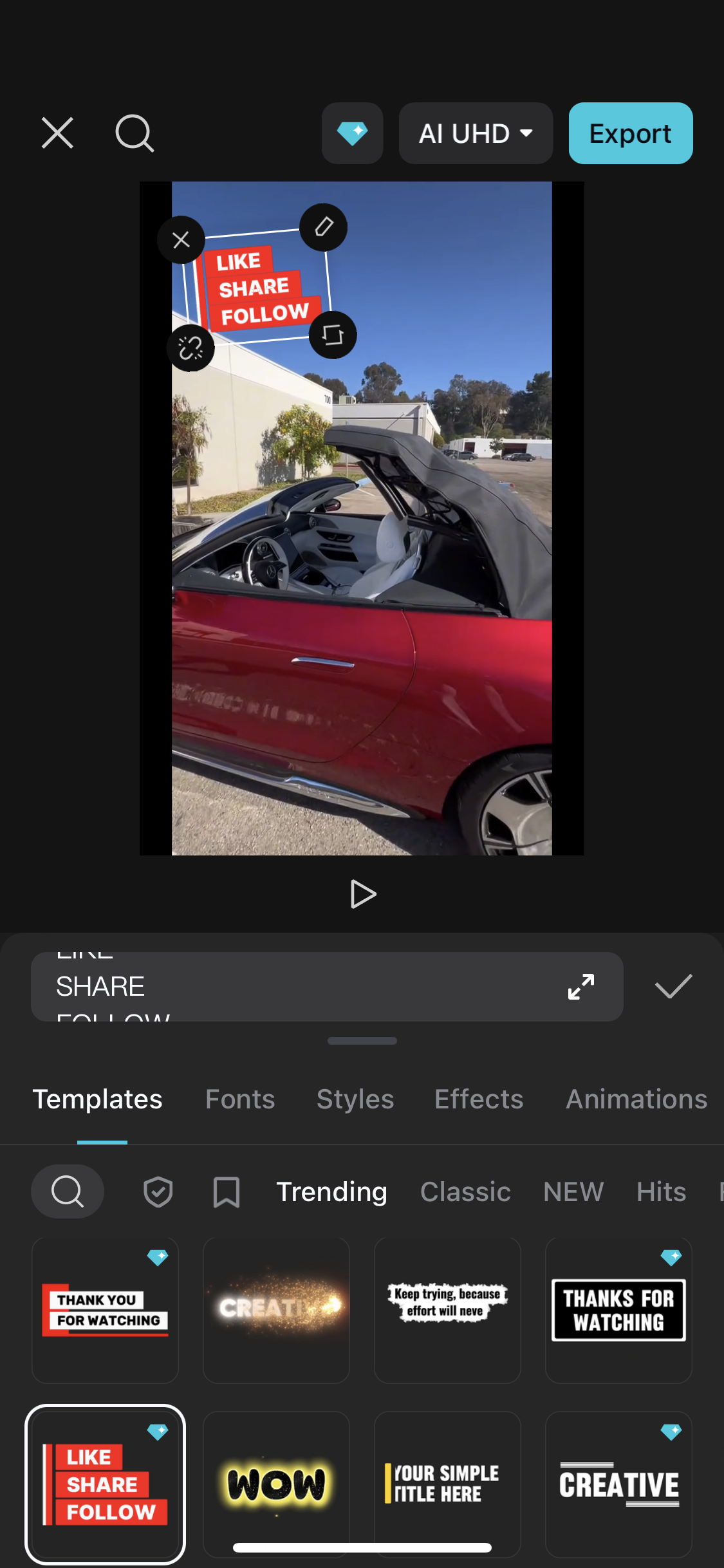
Tap "Text" in the toolbar, then "Add text". Type your text. This is different from captions — text overlays are design elements you place intentionally, like a title at the start of a video or a product name over a product shot. Style the text to match the mood of the video. Drag it to position it on screen. In the timeline, drag the ends of the text clip to control how long it stays on screen.
Use slow motion for impact
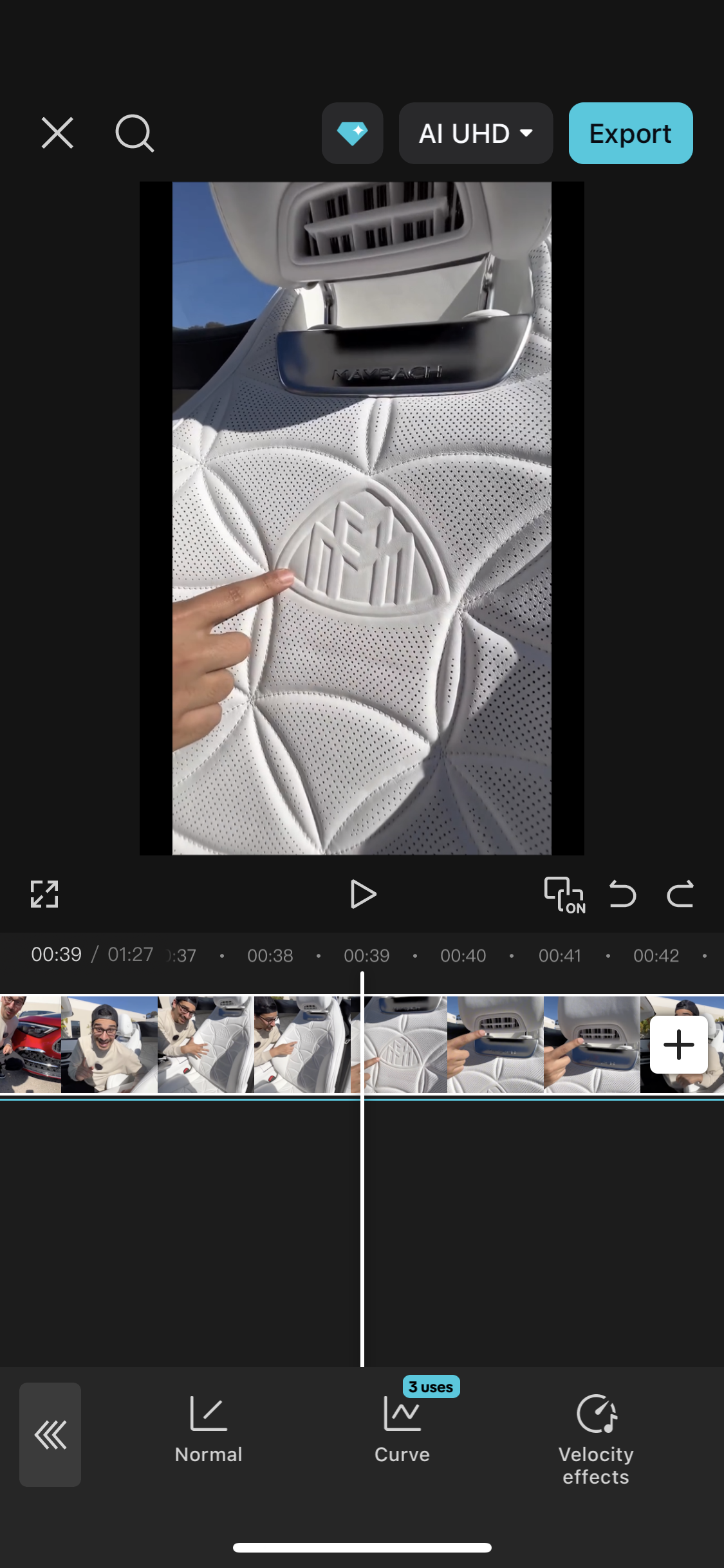
Find a moment in your video that would look dramatic in slow motion — a product being poured, someone making a hand gesture, a crowd reaction. Tap on that clip in the timeline. Tap "Speed". Tap "Curve" for smooth slow motion (better than "Normal" which can look choppy). Choose "Montage" or "Hero" preset — these slow down the middle of the clip smoothly. Slow motion on one key moment in a video is much more powerful than making the whole thing slow.
Export in the right format
For Instagram Reels and TikTok: export at 1080p, 30fps. For YouTube: export at 1080p or 4K, 30fps. For WhatsApp Status: CapCut's default 1080p works perfectly. Before you export, watch the full video one more time from start to finish. Check: does the music volume feel right? Are all captions visible? Do the transitions feel smooth? Fix anything that bothers you. Export once you are happy.
Create a 30-second product video for any item in your home — a drink, a food item, a piece of clothing. Film 3 short clips of it from different angles. Edit them together in CapCut with transitions, a music track, and one text overlay showing the product name. This is a real portfolio piece.